Coding Activities for Kindergarten: Easy Ways to Start Without Screens [Free Sequencing Mats]
When we hear the word coding, it’s easy to picture children sitting in front of computers dragging colorful blocks around a screen.
But coding activities for kindergarten don’t have to begin with a computer at all.
If you want to build on these beginner activities, these coding worksheets for elementary students offer another easy way to introduce coding concepts away from the screen. They’re especially useful for helping children practise sequencing and problem-solving before moving into more interactive coding experiences.
In fact, before young children start working with digital coding activities, we can introduce the thinking behind coding using things they already understand: pictures, everyday routines, directions, arrows, mistakes and simple problems to solve.
This printable pack is free at the end of this post!
A child figuring out which step comes next when packing a lunchbox is working with sequencing. A child giving a character directions through a grid is beginning to create an algorithm. And a child spotting an instruction that doesn’t make sense and correcting it? They’re already being introduced to debugging.
Those are real foundational coding concepts—and we can make them incredibly concrete for young learners.
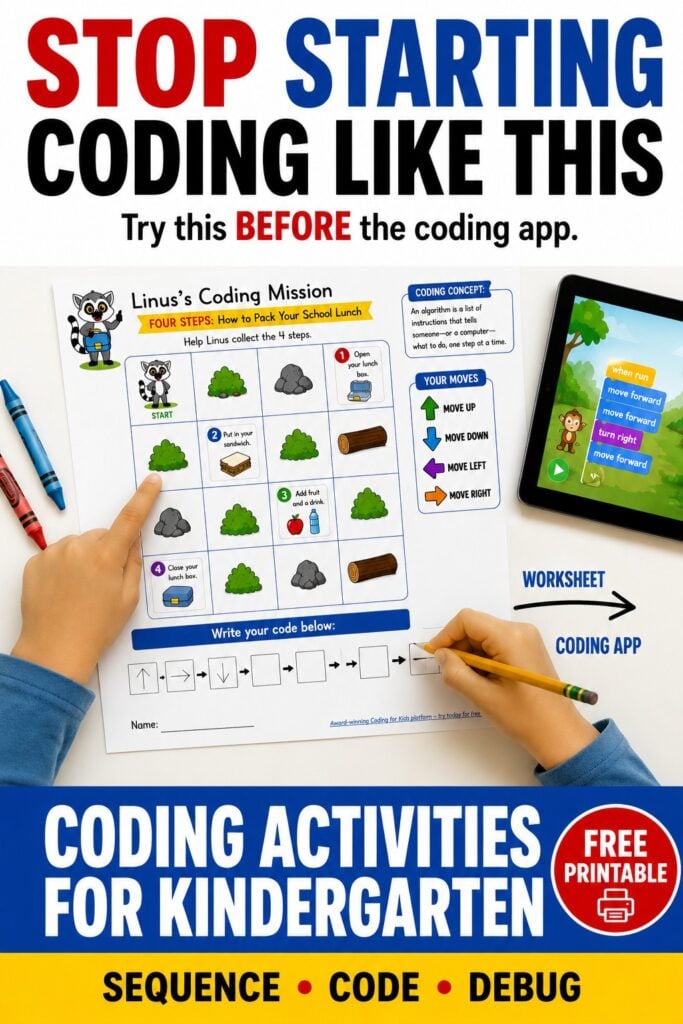
That’s why I’ve created a set of free coding activities for kindergarten featuring Linus the Lemur. Children begin with familiar everyday routines, turn those routines into algorithms, guide Linus using directional commands and eventually find and fix mistakes in simple codes.
Then, when they’re ready, they can take those same ideas onto a screen and continue coding with Linus through CodeMonkey.
This post is sponsored by CodeMonkey. As always, the activities, teaching ideas and opinions shared are my own.
What Does Coding Look Like in Kindergarten?
If you’re teaching five- or six-year-olds, nobody needs to start typing mysterious lines of computer code while dramatic hacker music plays in the background. 😂
Coding for kindergarten is really about learning how instructions work.
Once children understand the basics, introducing coding games for kids can make those same skills feel much more like play. Games give young learners opportunities to practise following instructions, solving problems and experimenting with different solutions.
At this age, children can begin learning to:
- put instructions into the correct order
- follow a sequence from beginning to end
- give precise directions
- use symbols to represent commands
- predict what will happen after a command
- notice when instructions don’t work
- find a mistake and correct it
- try a different solution to a problem
Two particularly useful words to introduce are algorithm and debugging.
An algorithm is simply a set of instructions that tells someone—or a computer—what to do, one step at a time.
Debugging means finding and fixing a mistake in those instructions.
When we explain them like that, these suddenly aren’t complicated computer-science concepts. They’re things kindergarten students encounter in everyday life.
Think about getting ready for school.
Get dressed. Pack your bag. Put on your shoes. Go to school.
That’s a sequence of instructions—and a perfect place to begin.
Why Start With Screen-Free Coding Activities?
One of the things I love about screen-free coding activities is that they make an abstract idea visible.
For younger learners in particular, these coding games for 5 year olds are a great next step after simple unplugged coding activities. They help make early coding concepts approachable without expecting children to understand complicated programming language.
Instead of telling a child that a computer follows a sequence of commands, we can actually give them a sequence to manipulate.
They can point to it.
Move through it.
Change it.
Test it.
And discover what happens when one of those instructions is wrong.
Unplugged coding activities can give young children opportunities to practise problem solving, sequencing, logical thinking, visual-spatial reasoning, prediction and following multi-step directions while beginning to develop computational thinking.
There is also an important element of trial and error.
If Linus can’t get where he’s supposed to go, something in the instructions needs to change. Rather than simply being told the answer, children can look back at what they did and ask:
Where did it go wrong?
That’s a valuable habit far beyond coding.
And importantly, I don’t see this as screen-free versus screen-based learning.
The two can work together beautifully.
The printable activity helps children understand the concept in a concrete way. A digital coding platform can then allow them to apply that understanding in a different environment.
That’s exactly the progression I’ve used with these Linus activities.
1. Start With Algorithms Children Already Understand
Before asking a kindergarten student to create an algorithm for a computer character, start with something much more familiar.
An algorithm is a set of instructions in order.
Everyday routines are perfect for this.
In the free printable pack, I’ve used three routines that young children are likely to recognize:
How to Pack Your School Lunch
What happens first?
Open the lunchbox.
Then perhaps add the sandwich, fruit and drink before finally closing the lunchbox.
Children aren’t just practising vocabulary here. They’re beginning to understand that instructions have an order.
If we change that order, the outcome might not make sense.
Imagine Step 1 being close your lunchbox.
Well… we’ve hit a tiny logistical problem already. 😂
That simple realization is an important foundation for understanding algorithms.
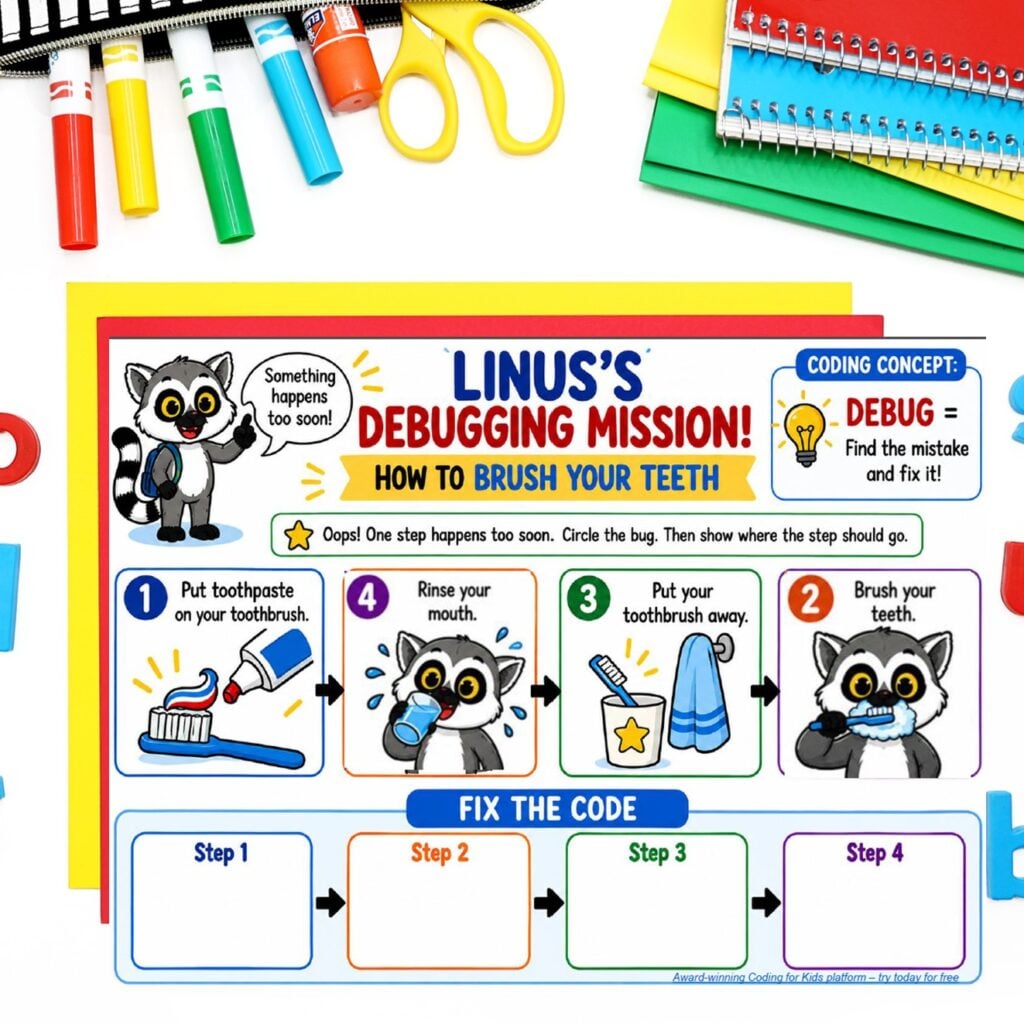
How to Brush Your Teeth
Brushing teeth gives children another familiar sequence to explore.
They can think about putting toothpaste on the toothbrush, brushing, rinsing and putting the toothbrush away.
Because they already understand the routine, they don’t have to use all their mental energy figuring out what they’re supposed to be doing.
Instead, we can focus their attention on:
What happens first?
What comes next?
Does this order make sense?
That makes familiar routines particularly useful for beginner coding activities.
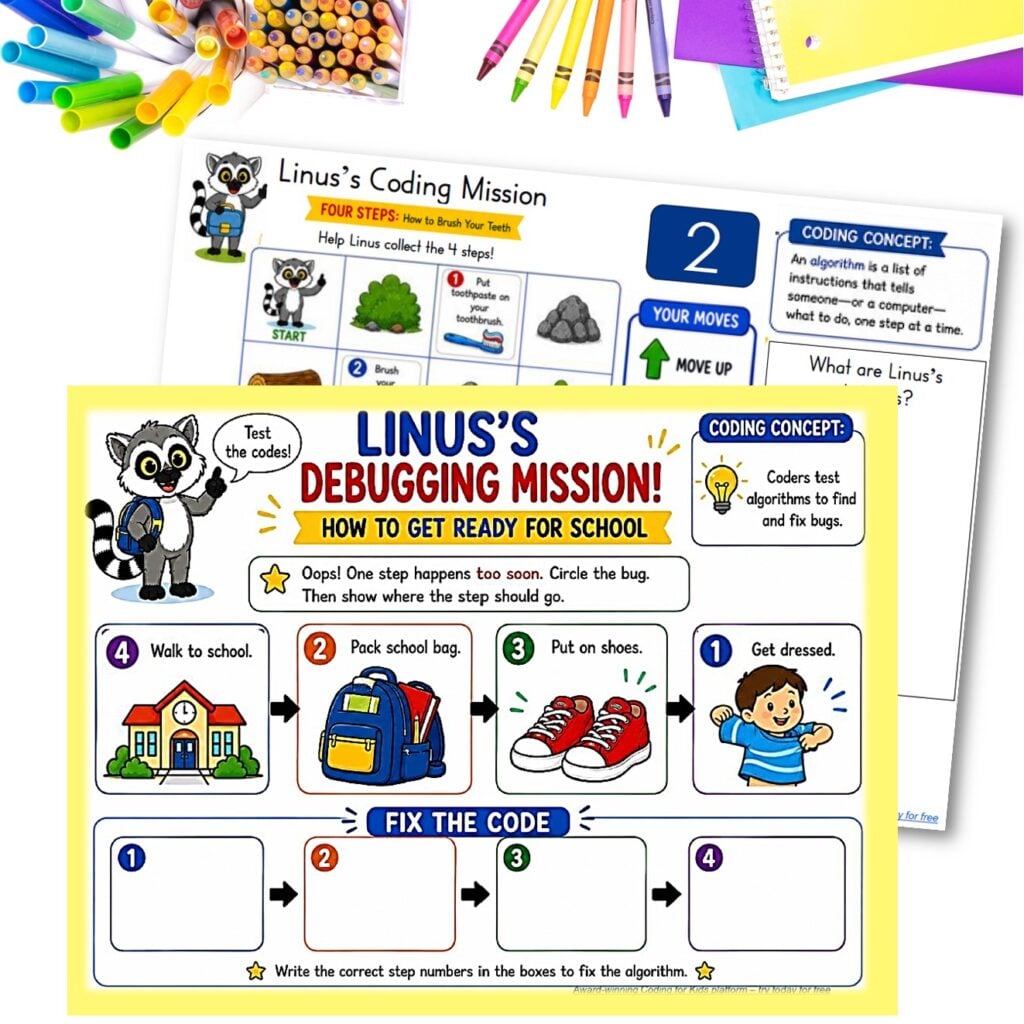
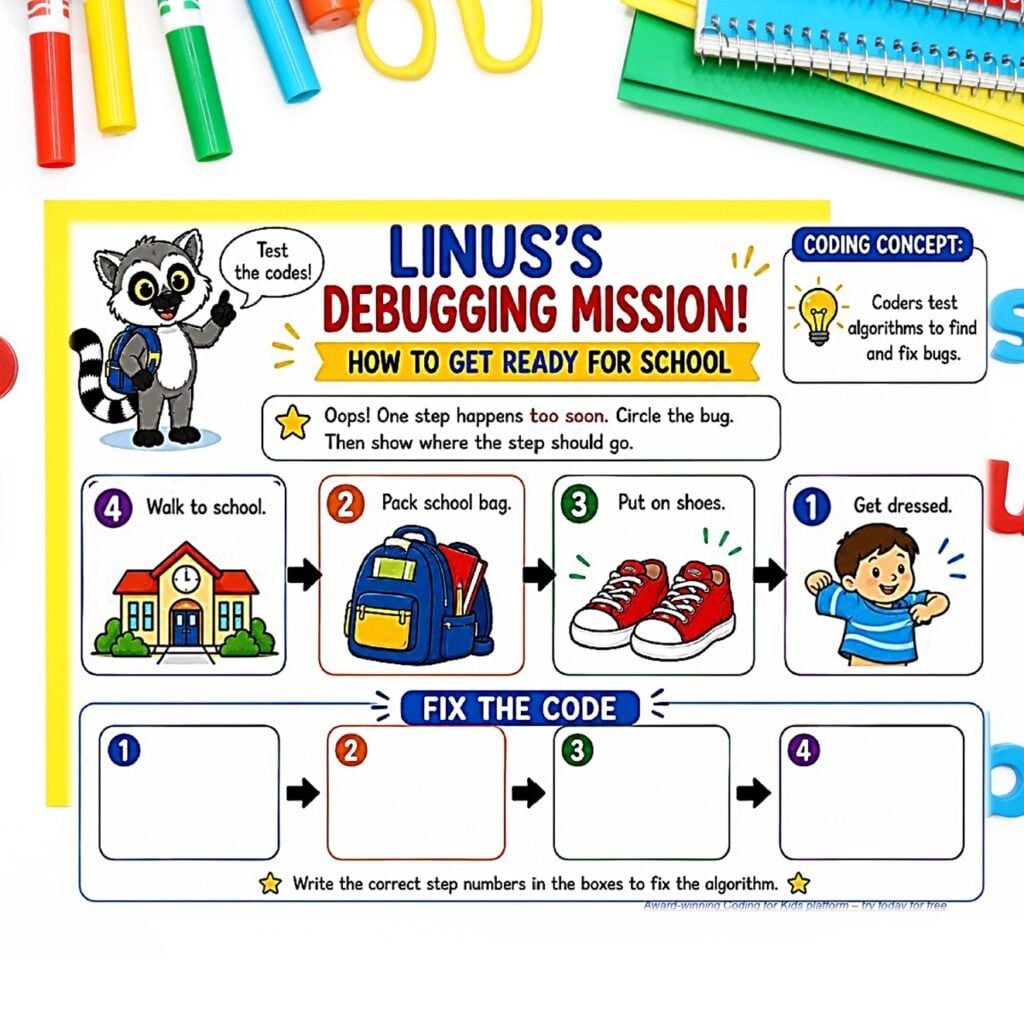
How to Get Ready for School
Getting ready for school is another fantastic back-to-school algorithm.
Children can work through:
Get dressed → Pack your school bag → Put on your shoes → Go to school
Once children have seen algorithms across several different routines, we can begin moving away from the idea that an algorithm is simply a “put these pictures in order” activity.
Instead, they start seeing the bigger concept:
An algorithm tells us what to do and in what order to do it.
And now we’re ready to make things more interesting.
You can also use a coding worksheet for kids to give children extra hands-on practice with the thinking skills behind coding. It works particularly well alongside the Linus activities when you want to reinforce algorithms, sequencing and logical thinking before moving back to a digital activity.
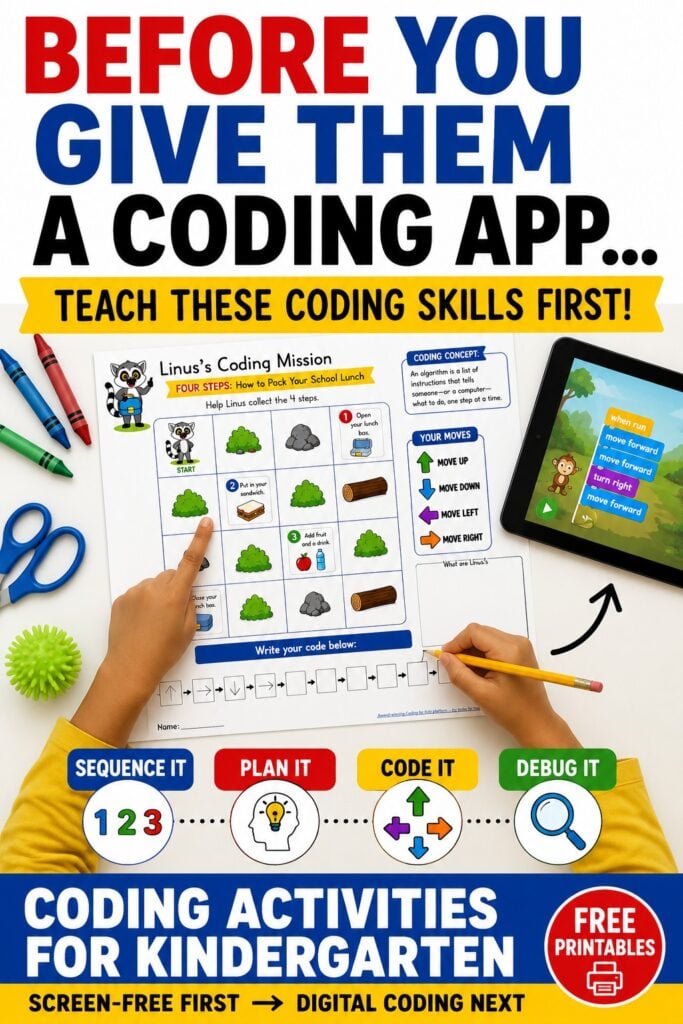
2. Turn the Routine Into Directional Coding
This is where the Linus coding worksheets go beyond traditional sequencing activities.
Instead of simply arranging four routine pictures, children have to help Linus move around a grid and collect the steps in the correct order.
The four commands are deliberately simple:
↑ Move up
↓ Move down
← Move left
→ Move right
Let’s say Linus needs to collect Step 1.
Children first locate Linus on the grid.
Then they locate Step 1.
Now comes the problem-solving:
How can Linus get there?
They need to look at the spaces around him, notice any obstacles and determine which directional command will move him toward the target.
Once Linus reaches Step 1, the challenge continues.
How does he get to Step 2?
Then Step 3.
Then Step 4.
Suddenly, a familiar everyday routine has become a beginner coding challenge.
Why Coding With Arrows Is So Useful for Beginners
Directional arrows work wonderfully as an introduction to coding because they’re visual.
A young child doesn’t need advanced reading skills to understand that:
↑ means move up.
The symbols effectively become a very simple first coding language.
Suppose Linus needs to move:
UP → RIGHT → RIGHT → DOWN
The child has taken an intention—“I want Linus to reach that square”—and translated it into a precise series of commands.
That’s a significant little leap in thinking.
Children are practising concepts such as directionality, spatial awareness, planning ahead, working memory and following sequential instructions.
They’re also discovering something fundamental about computers:
Computers need us to tell them exactly what to do.
Linus can’t look at the target and think, “Eh, close enough. I’ll wander over there.”
He needs instructions.
And those instructions need to work.
5. Debugging Activity: Pack Your School Lunch
In the school-lunch debugging activity, Linus has mixed up two of his instructions.
Children look carefully at the four-step algorithm and decide which steps are in the wrong positions.
They then:
- identify the misplaced instructions,
- circle the mistakes,
- work out where the instructions belong, and
- rebuild the algorithm correctly.
This is still accessible to kindergarten students because the underlying routine is familiar.
But cognitively, we’re asking for something more than basic sequencing.
The child has an expected outcome in mind—this is how packing a lunchbox works—and compares that expectation against the algorithm they’ve been given.
Something doesn’t match.
They locate the problem and make a correction.
That’s debugging at a very age-appropriate level.
6. Debugging Activity: Brush Your Teeth
The tooth-brushing activity changes the challenge slightly.
This time, one instruction happens too soon.
Perhaps Linus puts his toothbrush away before he’s finished the routine.
Children have to look at the entire sequence and determine which instruction doesn’t make sense in its current position.
Then they fix it.
Why Familiar Routines Make Debugging Easier
This is one reason I deliberately used everyday routines in these kindergarten coding worksheets.
Imagine trying to teach a five-year-old the concept of debugging while simultaneously giving them a completely unfamiliar problem.
That’s two new things to process.
With tooth brushing, they already have a mental model of what should happen.
They can therefore use that existing knowledge to examine the algorithm.
Would I put my toothbrush away yet?
No?
There’s our bug.
The coding concept becomes much easier to see.
7. Debugging Activity: Get Ready for School
The same idea carries into our getting-ready-for-school activity.
Children examine a four-step morning routine, identify the instruction that doesn’t work in its current position and correct the algorithm.
And this is where I’d start encouraging one very simple coding habit:
Test → Find → Fix → Try Again
Something didn’t work?
Don’t immediately erase everything.
Test it.
Where did the problem happen?
Find it.
Which instruction needs changing?
Fix it.
Now run through the sequence again.
Try again.
That little cycle introduces children to the idea that mistakes are useful information.
The first solution doesn’t always work—and that’s completely normal in coding.
We look at what happened, change something and test our new solution.
From Unplugged Coding to Coding on a Screen
Once children have worked through these activities, look at how many coding concepts they’ve already encountered.
They’ve practised:
- sequencing instructions
- understanding algorithms
- following directional commands
- planning a path
- representing instructions with symbols
- writing simple codes
- testing an algorithm
- identifying bugs
- correcting instructions
- trying a solution again
Now putting them in front of a beginner coding activity makes much more sense.
The environment changes, but the thinking isn’t entirely unfamiliar.
A directional command?
We’ve done that.
A sequence?
We’ve done that too.
Linus needs instructions to reach something?
Oh! We know how this works.
That’s the bridge I wanted these printables to create.
Take the Next Step With Linus the Lemur on CodeMonkey
This is also why Linus was such a perfect character for these activities.
Children can meet Linus on paper first and then continue their coding experience with him digitally through CodeMonkey.
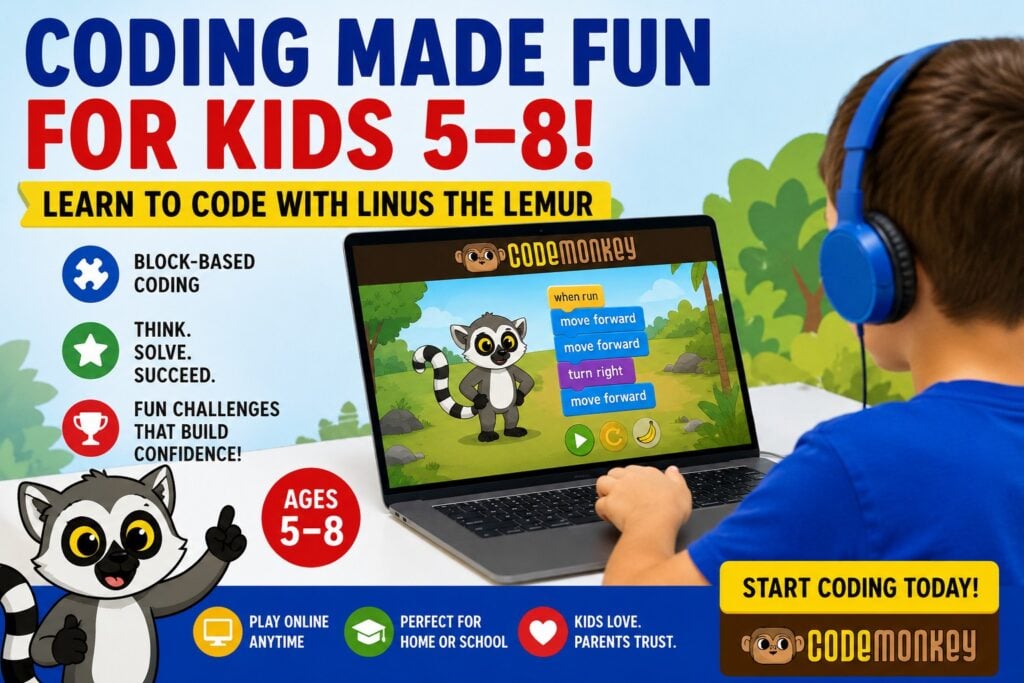
CodeMonkey’s Linus the Lemur course is aimed at young learners in K–2 and introduces coding through visual, block-based challenges. Children help Linus collect the items he needs while working with early coding concepts.
The course is designed so children don’t need to rely on reading or writing to begin working through the challenges, which is particularly useful for younger learners.
And I LOVE the progression here:
Hands-on first → digital application next.
On the printable, children have already helped Linus navigate using visual commands.
When they move onto CodeMonkey, they’re taking that early understanding into an interactive coding environment.
Instead of the digital activity being their very first encounter with concepts such as sequencing and commands, they have some background knowledge to draw from.
An Easy 5-Day Kindergarten Coding Lesson Sequence
You can easily turn these activities into a simple week of coding lessons without needing to overhaul your entire kindergarten program.
Day 1 – What Is an Algorithm?
Choose one familiar routine and put its four instructions into order. Introduce algorithm as a set of instructions that tells us what to do.
Day 2 – Help Linus Follow the Algorithm
Complete one of the directional coding grids. Have children identify Step 1 and determine how Linus needs to move to reach it. Continue until all four steps have been collected.
Day 3 – Write Your Code
Return to the grid and record Linus’s movements using directional arrows. Test the completed algorithm together.
Day 4 – Debug Linus’s Code
Use one of the debugging worksheets. Ask children to find the instruction that doesn’t make sense, correct it and test the sequence again.
Day 5 – Try Digital Coding With Linus
Take those concepts onto a screen and let children try Linus’s coding challenges through CodeMonkey.
That gives children a progression from concrete → visual → symbolic → digital rather than throwing every new concept at them at once.
Download the Free Coding Activities for Kindergarten
I’ve put the activities from this post together into a free printable coding pack you can use at home, in a kindergarten classroom, during STEM lessons or as a beginner coding center.
Inside you’ll find activities covering:
- everyday routine algorithms
- sequencing
- Linus coding grids
- directional arrow commands
- writing simple codes
- debugging
- finding and fixing mistakes
- visual supports for young learners
The activities use familiar routines such as packing a school lunch, brushing your teeth and getting ready for school, so children can concentrate on the coding concept without needing to learn a complicated new scenario first.
[DOWNLOAD THE FREE KINDERGARTEN CODING PRINTABLES HERE]
You can then use the printables as your hands-on introduction before children continue learning with Linus digitally.
Ready to Move From Paper to Digital Coding?
Young children don’t have to choose between screen-free and digital coding activities.
We can use both.
The hands-on activities give children time to physically and visually explore sequencing, algorithms, directions and debugging.
Then digital coding gives them somewhere to apply those ideas.
That’s why I like introducing Linus on paper and then letting children meet him again through CodeMonkey.
They’ve already helped him follow directions.
They’ve already created algorithms.
They’ve already found his bugs.
Now it’s time to put those skills to work.
Start with the hands-on activities, then try coding with Linus on CodeMonkey and let children see where their first algorithms can take them.